

New developments and optimizations for FUTURA Smart Version 2.9 | August 2026
📢 FUTURA Smart 2.9 – Release Notes
What's new? Discover the highlights of the current release.
Import of complete Purchase Requisitions
The new Purchase Requisition Mode
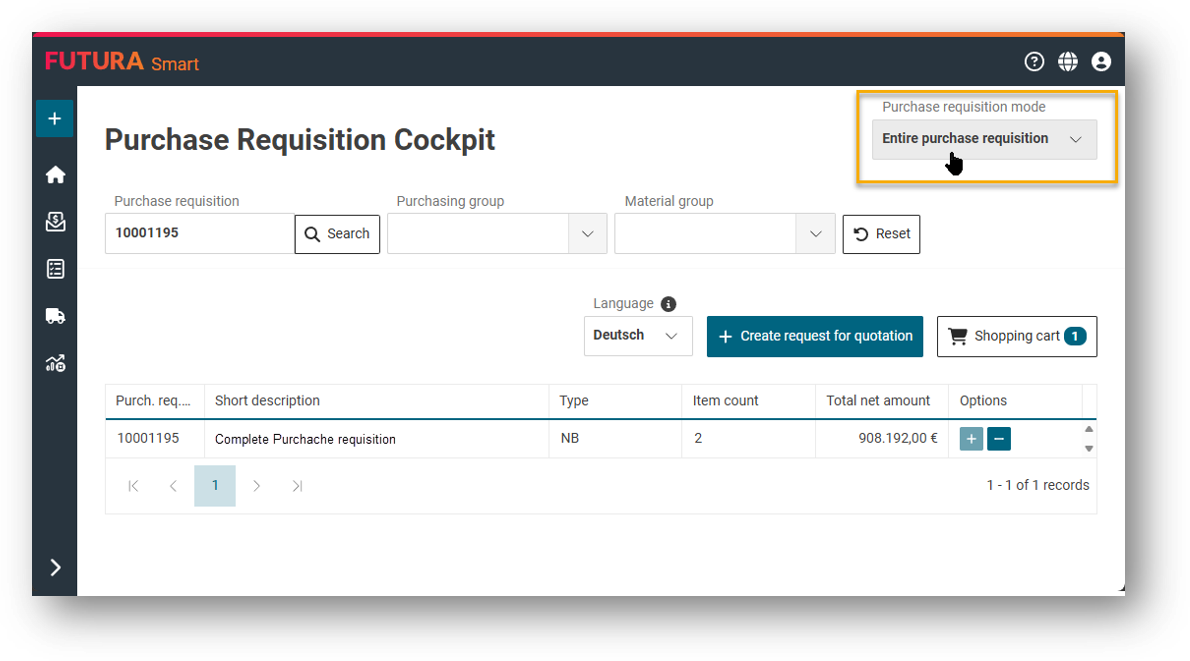
Previously, you could only search and select individual Purchase Requisition (PR) items in the RFQ Cockpit. From now on, a second mode is available to you: "Entire purchase requisition". This allows you to import an entire PR including all items in a single step.
Simply select the desired mode when opening the PR Cockpit and search for the PR number instead of individual items. Entire PR are now displayed in the list. Simply add the desired PR to the shopping cart with "+" and create the RFQ - benefit from a much faster entry into the RFQ process.
You can read the step-by-step article via the following link:
Import entire purchase requisitions and transfer to RFQ
Bulk editing of items
Work faster and more efficiently
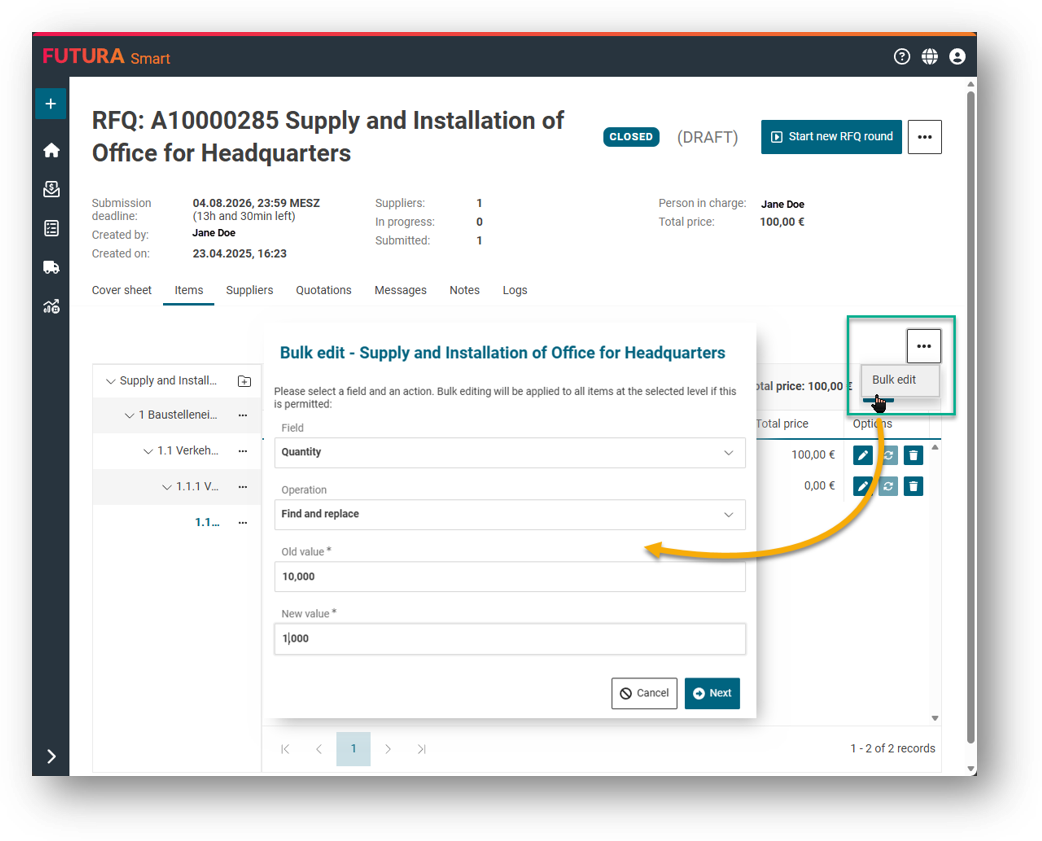
No more tedious editing of items entry by entry. The new bulk editing feature allows you to adjust multiple entries at once in large item lists.
What you can do in detail:
-
Fill, replace, or empty fields in one step for the Quantity, Material Group, Plant, and Material Number fields.
-
Find & Replace: Find a specific value and replace it specifically in the entire item list or within a selected title.
-
Pre-execution preview: Before changes take effect, the system shows you the number of items affected for maximum control and security.
Bulk editing is available in all RFQ cockpits as well as in the order dialog box.
You can read the step-by-step article via the following link:
Bulk editing of multiple items in extensive item lists
Item hierarchies in the Contract Cockpit
Support for items in the "Lean Services" format from SAP
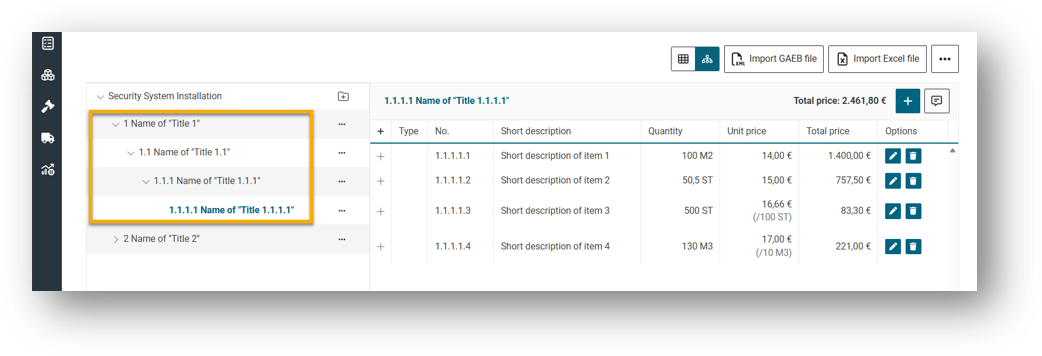
The Contract Cockpit now supports item hierarchies. If an SAP contract contains titles, they are correctly recognized and displayed as a hierarchy structure during import, just as you know it from structured item lists. In addition, the allocation is limited to exactly one contract per shopping cart to avoid errors in the process.
Extended editing of item texts
Support for additional SAP text blocks in all processes
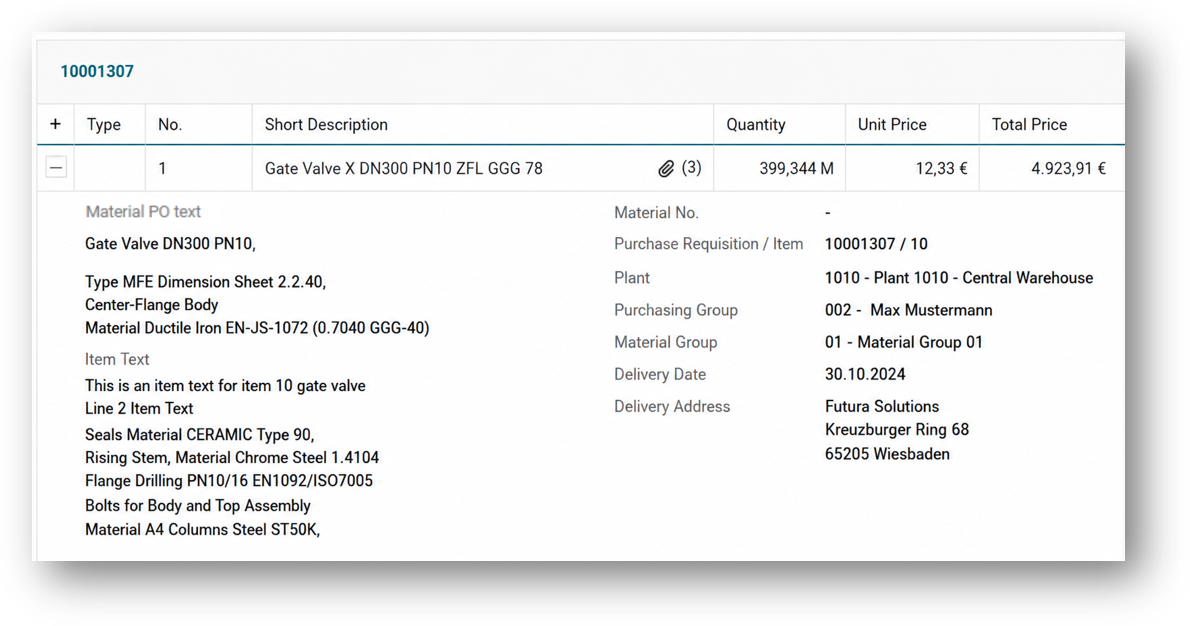
Multiple SAP text blocks can now be managed for items. This includes the item text and the material PO text. When importing purchase requisitions and contracts, the existing texts are automatically transferred and assigned to the corresponding text blocks. They appear in all relevant item lists and are correctly transferred to SAP when purchase orders and contracts are created. In addition, you can now edit item texts that were uploaded from SAP directly in FUTURA Smart.
The export and import formats also fully support the item texts:
-
Excel: In the supplier portal, all item texts are exported and separated from each other by line breaks.
-
GAEB: All item texts are transferred to the GAEB file as long texts.
-
PDF: Item texts appear in RFQs and quotation PDFs on the buyer and supplier side. Blank text fields are automatically hidden.
Clearer error messages for GAEB imports
Precise information for fast and safe troubleshooting
FUTURA Smart now gives you even more precise feedback when importing GAEB item list files:
-
Negative unit prices: GAEB files with negative prices are consistently rejected on the buyer and supplier side with an understandable error message.
-
Invalid hierarchy levels: If a title is created at a level not provided for by the ordinal number scheme, a clear message now appears.
Bug fixes and optimizations
With this release, we have also fixed some bugs that make your everyday work easier:
-
Quotation opening for deactivated suppliers: The "Open Quotations" button was incorrectly disabled if the supplier who had submitted a quotation was deactivated in the meantime. This is now fixed.
-
Attachments after RFQ change: Attachments that were no longer intended for confirmation after changes in an RFQ were still displayed to the supplier. This behavior has been corrected.
-
Global attachments without page refresh: After creating, editing, or deleting global attachments in the company profile, the page didn't automatically refresh. This now works correctly.
-
Checkbox "Create another element": When creating several items in a row, the fields were not reliably emptied. The behavior now corresponds to the expectation.
-
Questionnaire without answer options: Buyers could save "single choice" or "multiple choice" type questions without answer options, resulting in errors on the supplier side. The system now prevents this.
-
Search in the RFQ cockpit: The search for RFQ titles was previously case-sensitive. It now works regardless of the spelling.
-
Display of the edit dialog: In certain cases, the dialog for editing items became too large and the footer area was no longer visible. This has been fixed.
-
Width of the combo box result list: The display of the combo box result list in all cockpits has been optimized.
-
Currency in the supplier's GAEB X83 export file: When exporting an item list from the quotation as GAEB file, the currency of the RFQ is now also correctly transferred to the GAEB file. This eliminates a previously occurring error when reimporting the file on the purchaser side.