
New developments and optimizations for FUTURA Smart version 2.3 | December 2025
📢 New developments and optimizations for version 2.3
This release focuses on helpful features for the RFQ process, safer and clearer RFI change management, and faster item handling across the cockpits. Most updates live directly in the main content area of your purchasing modules, with a small but important navigation addition to the company profile.
Purchase Requisition Cockpit
Rule‑based prefill of RFQ header data
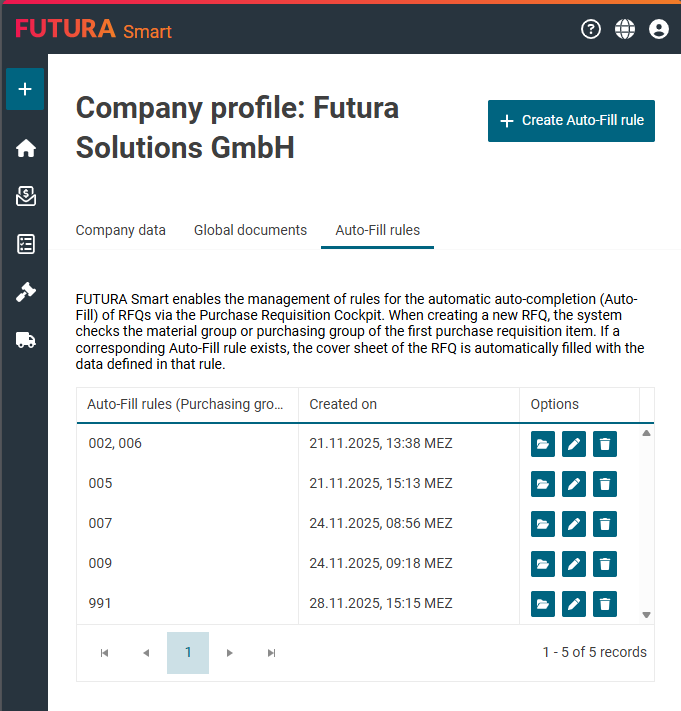
With this enhancement, creating a new RFQ from the Purchase Requisition Cockpit becomes faster and more consistent. As soon as you switch from the cockpit to the cover sheet of the RFQ, FUTURA Smart checks the material group (or purchasing group) of the first requisition item and applies the corresponding company rule, if available.
The rules are managed in the company profile under the Auto-Fill Rules tab (visible only with SAP integration). Administrators can define specifications there that automatically fill-out the cover sheet. Users without administrative rights have read-only access. The Auto-Fill rules are unique per group, support multiple selection, and automatically adopt SAP changes to group names.
Benefit: fewer manual entries, fewer errors, and consistently structured cover sheets for recurring material or purchasing groups.
For more information and to learn how to activate this feature for your company, please refer to the help article: Creating Auto-Fill rules
Request for Information (RFI)
Edit in draft mode and release changes
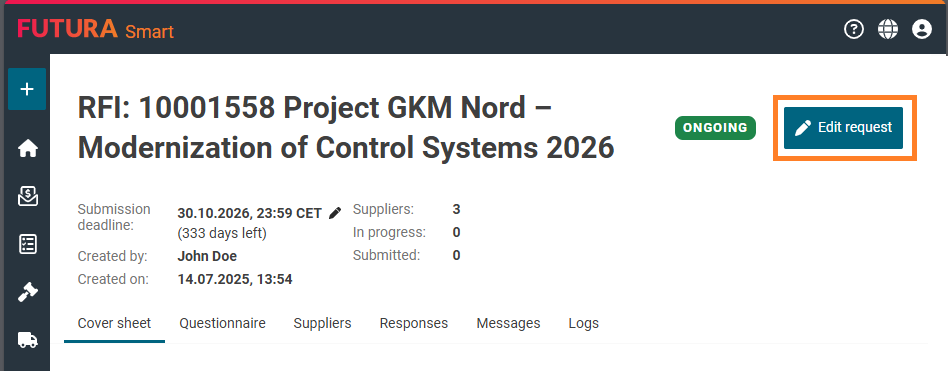
You can now adjust ongoing RFIs and publish all changes in one step.
In draft mode, you can adjust the cover sheet, manage attachments, modify the questionnaire, and maintain the supplier list. When the changes are applied, all information is transferred to the supplier portal.
Supplier communication is precise:
RFI mails are sent to your suppliers when the cover sheet, attachments, or the questionnaire changes but the suppliers are only informed, if they already saw the older version of the questionnaire before. For newly added suppliers, no emails are triggered.
Changes to the questionnaire behave safely:
By adding, editing, or deleting sections, questions, or attachments to questions, the suppliers’ existing answers remain preserved. Previously submitted answers are marked as invalid until they are resubmitted. A notification banner saying “The questionnaire has been updated.” also appears in the RFI header.
Benefit: You can iterate without disruption, then publish a clean, auditable update across all suppliers in one go.
Find out more details on how to do changes to questionnaires in ongoing RFIs in the help article: Adding or changing questions in the questionnaire of an ongoing RFI
Request for Information
Edit and resubmit answers
Suppliers can now revise previously submitted or invalid responses by returning to edit mode, updating their answers, adding any necessary attachments, and resubmitting the revised version. After resubmission, you, as the commercial contact person, receive a notification, the status changes back to “submitted,” and the action is logged for traceability.
Request for Information
Reject ongoing RFIs
While an RFI is still in progress (status “Ongoing”), suppliers can reject it and provide a reason for their decision. After submission, the RFI status changes to “Rejected” for both sides. You as the commercial contact person are automatically notified by email, and the reason for the rejection is displayed as a tooltip in the relevant lists.
Request for Information
Log for traceability
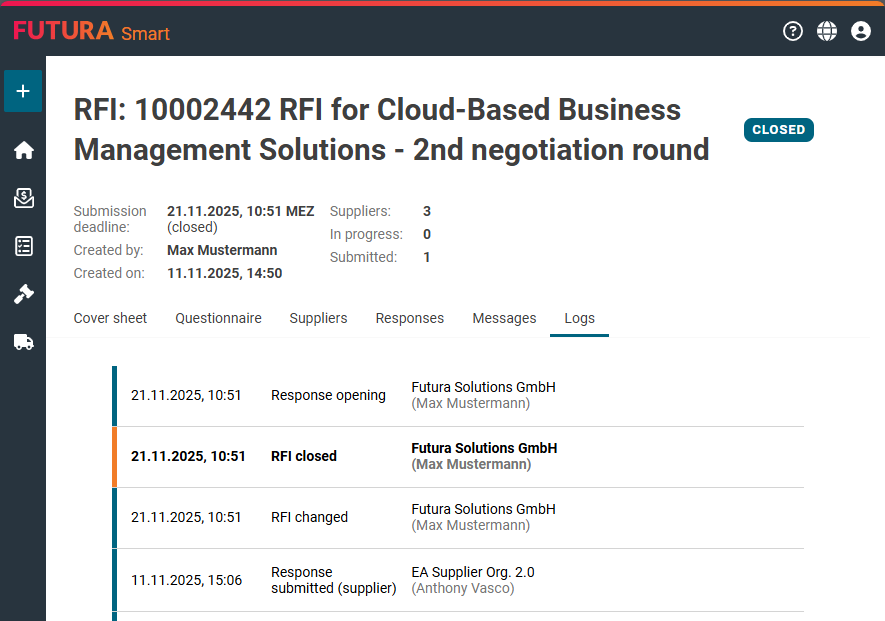
RFIs now include a tab “Logs” that records all important actions with timestamp (shown in the current user’s time zone). The action itself, the initiator (user) and the supplier are protocolized.
Benefit: A concise, reliable trail of who did what, and when.
Item list in all cockpits
In‑cell editing in Material, Purchase Requisition and Contract RFQs
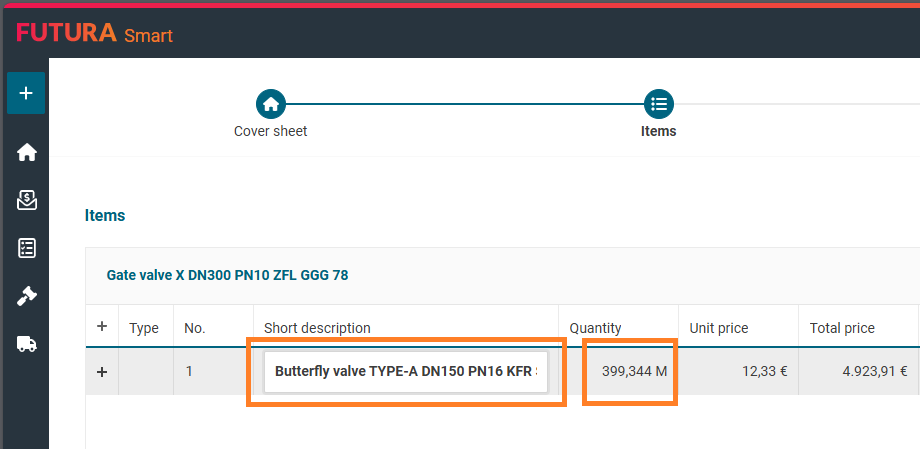
An in‑cell editing was previously available in the Sourcing Cockpit. You can now use it in all available cockpits, such as the Material, Purchase requisition, and Contract cockpits. Simply and quickly adjust short text, quantity, and unit price directly in the list without switching to the details window.
Benefit: Faster edits with consistent behavior in every cockpit.
Item lists
Material number import with Excel & GAEB)
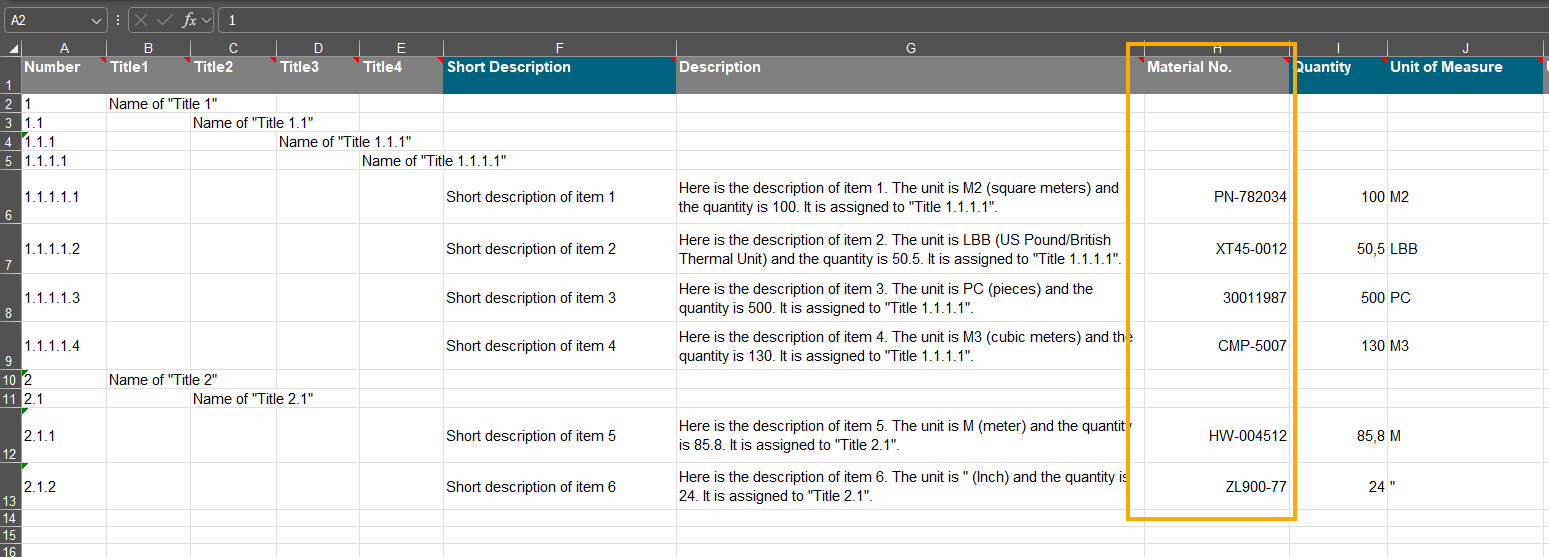
In FUTURA Smart, you can now import material numbers via Excel and GAEB:
-
For Excel import: The item list template for the Sourcing Cockpit includes now an optional “Material No.”
-
For GAEB import: Material numbers coming from GAEB files also considered when importing.
-
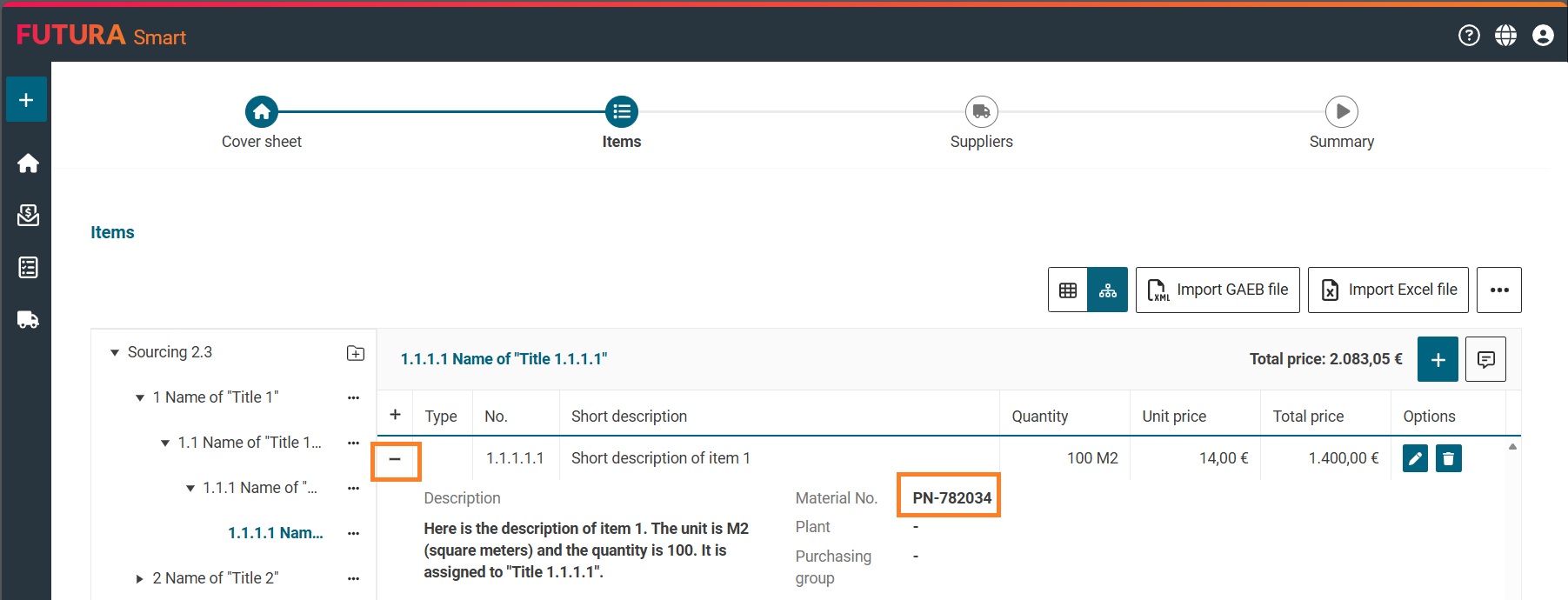
Display in FUTURA Smart: Imported material numbers appear in the item details of the Sourcing Cockpit and remain visible throughout the entire RFQ process. Suppliers will see them in their Quotation Cockpit, and you as the buyer will see them in the price comparison list.
Benefit: One consistent identifier from import through the project until the awarding.
Supplier management
Smarter contact handling for RFQs
When you reopen an RFQ that has already been finished or closed and switch to draft mode via the “Edit transaction” button, FUTURA Smart automatically updates the suppliers’ email addresses based on your company’s supplier management, provided these have changed in the meantime.
This only occurs if either the supplier has updated their email addresses in their company data or the email addresses were modified within your organization via supplier management by other users. The latter is possible in particular for suppliers that are not yet registered. In this case, email addresses can be changed until registration has been completed.
This ensures that:
-
the most up-to-date contact addresses are always used
-
no outdated, incorrect, or deleted email addresses from a previous round are reused, which could otherwise result in incorrect or unintended access for a supplier company
If an email address assigned to a contact person has been deleted in the meantime, the first remaining email address in the list is automatically assigned to the transaction. The existing dropdown menu for selecting contact persons remains available so that you can select an alternative contact person if required.
For audit purposes, email addresses in RFQs that are already finished or closed remain unchanged. This means that as long as an RFQ is in the Finished or Closed status, the stored email addresses are not updated automatically, even if they have changed as described in the scenarios above.
For auditing purposes, the addresses in already closed and completed RFQs remain unchanged. This means that as long as an RFQ is in Closed and Completed status, the email addresses stored in that RFQ are not automatically updated. This preserves transparency regarding which contacts were actually notified during the last quotation round. This is important to ensure that processes remain traceable and fully auditable afterwards.
The benefit: When preparing a new negotiation round, you can start with updated contacts, ensuring that invitations are sent correctly.