New developments and optimizations for FUTURA Smart version 2.4 | January 2026
📢 New developments and optimizations for version 2.4
With version 2.4, FUTURA Smart introduces several improvements that make working with suppliers more efficient. Buyers can now organize suppliers in personal favorite groups, add suppliers more quickly to RFQ and RFI processes, and manage RFIs more effectively.
The release also includes a new copy function for RFIs, the ability to edit submission deadlines in ongoing RFIs, and an extended supplier dashboard with improved visibility of relevant requests.
Supplier Management
Favorite groups for suppliers
Manage personal favorite groups in your user account
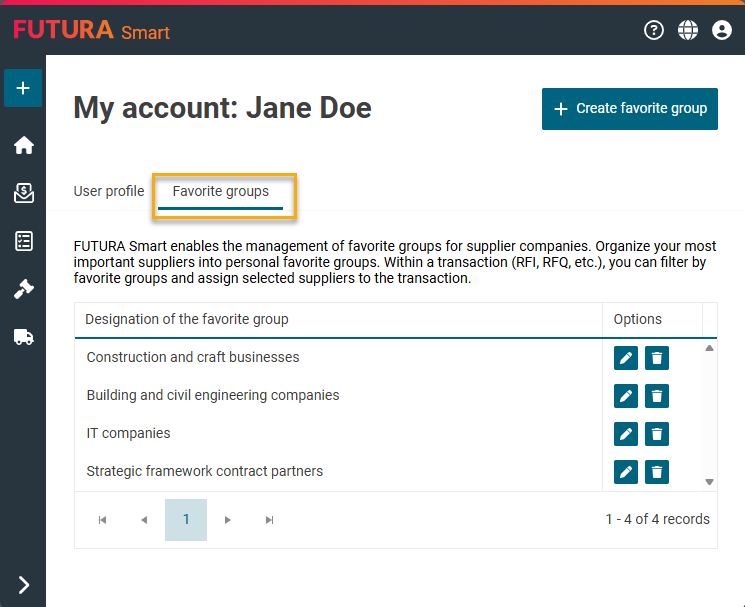
A new tab Favorite groups is now available in your user account (My account). This allows you to organize suppliers into personal favorite groups, tailored to your individual working needs. Each user can create multiple favorite groups, for example to group suppliers by topic, region, or strategic relevance.
Within each favorite group, you can define the group name, search for suppliers in the address book, and easily add or remove suppliers as needed.
In the following help article, you can learn how to create favorite groups:
Creating and managing supplier favorite groups
RFI Cockpit
Copy function for Requests for Information
Copy RFIs from lists or directly from an open RFI
Requests for Information (RFIs) can now be copied easily, either directly from the RFI list or from an open RFI. The copy function is available for all RFIs, regardless of their current status.
When an RFI is copied, a new transaction is created in the system and automatically set to the status In preparation. The newly created RFI then opens directly in the Cover Sheet step, allowing you to continue working immediately.
The copy process transfers key content from the original RFI, including the master data of the cover sheet, all header attachments with their files, the complete questionnaire with sections, questions, and attachments, as well as the supplier list, provided the suppliers still exist in the address book.
Learn how to create RFIs in FUTURA Smart in the following help article:
Creating a Request for Information
RFI Cockpit
Submission Deadline in ongoing RFIs
Change submission deadline in ongoing RFIs
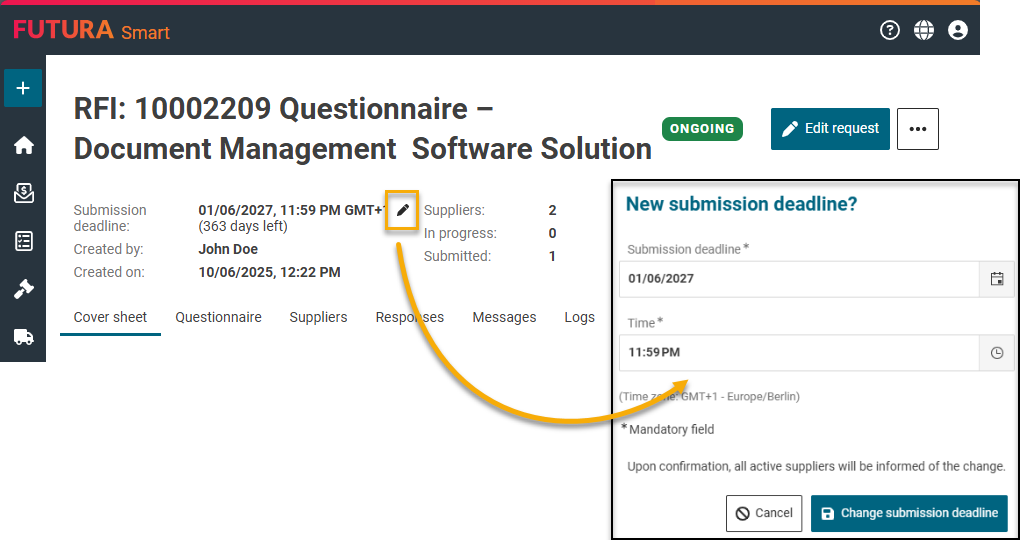
In ongoing RFIs, the submission deadline can now be changed directly without switching to draft mode. A pencil icon is displayed next to the deadline in the header, allowing you to open the edit dialog.
After successful validation, ensuring that the selected date and time are in the future, the updated submission deadline is saved and the RFI is refreshed accordingly. In addition, the system automatically notifies all active suppliers by email about the changed deadline, ensuring that everyone involved stays up to date.
Dashboard
RFIs in the Supplier Dashboard
Current RFIs are now visible in the supplier dashboard
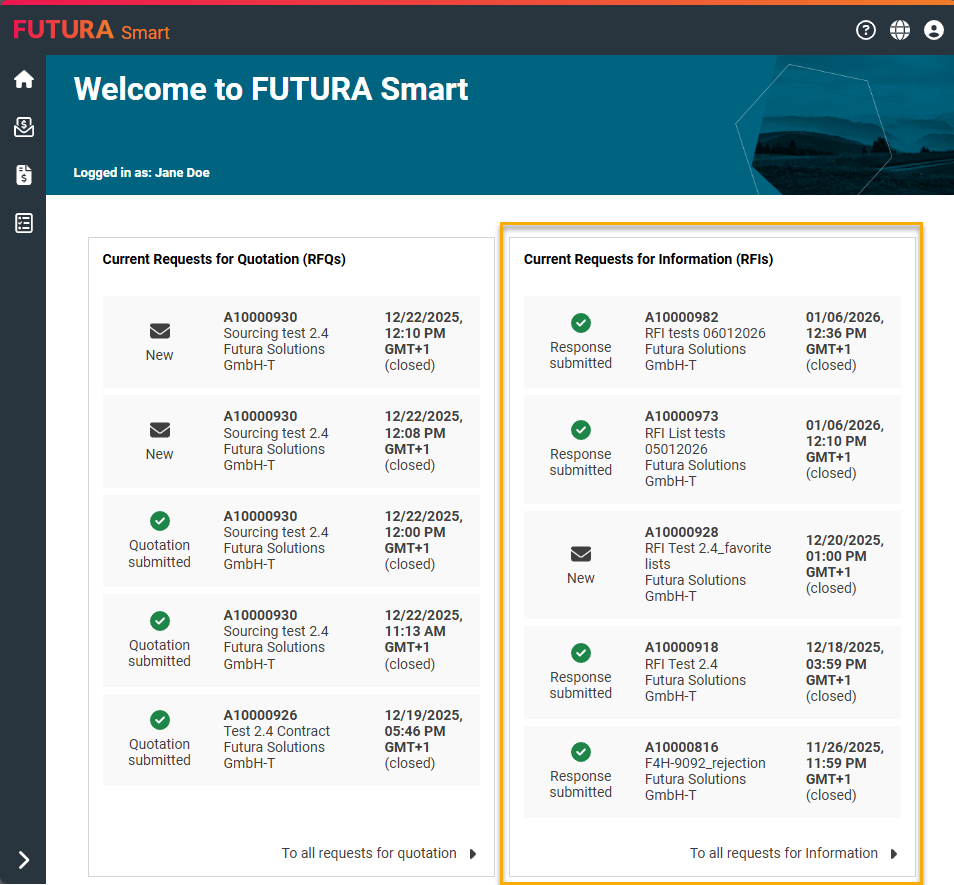
The supplier dashboard has been enhanced to display current Requests for Information (RFIs) in a new, dedicated tile alongside the existing RFQs. RFIs are sorted by release date in descending order, ensuring that the most recent requests are shown first, and the correct processing status is displayed for each RFI.
Using the To all Requests for Information link at the bottom of the tile, suppliers can quickly access the complete RFI overview.