New developments and optimizations for FUTURA Smart version 2.7 | April 2026
📢 New developments and optimizations for version 2.7
With the release of version 2.7, we are expanding FUTURA Smart with new analysis, export, and usability features that make the operational procurement process more transparent and efficient. The new event reporting enables flexible analysis of RFQ, RFI, and RFP data using individually configurable filters and columns. Improved Excel exports for the price comparison list increase traceability, as calculations and price comparisons can now be continued directly in Excel. In addition, the questionnaire editor has been structurally redesigned to provide a clearer and more intuitive way to manage sections and questions. Overall, this release improves reporting transparency, enhances the traceability of quotations, and provides a smoother user experience in daily procurement activities.
Reporting
Reporting for Sourcing Events
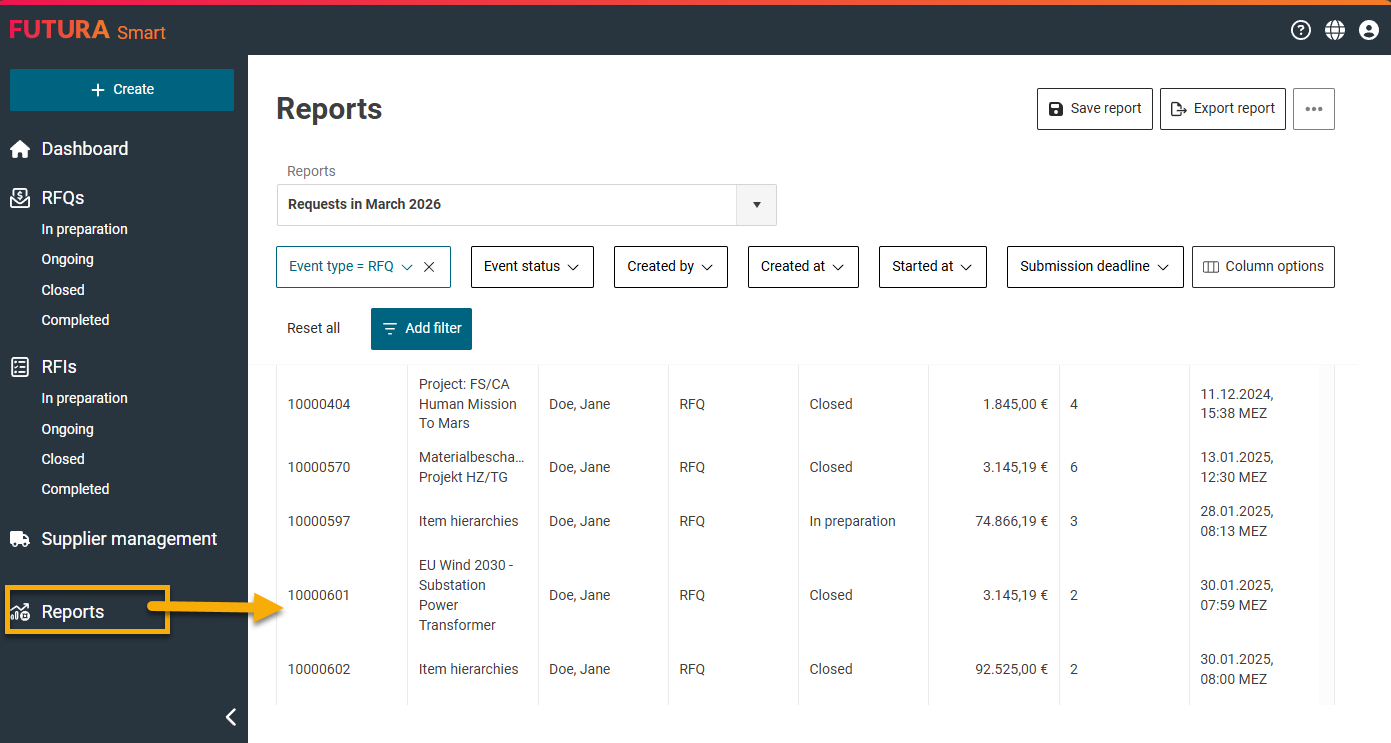
A new reporting functionality for sourcing events (RFQ, RFI, RFP) has been introduced. It allows event data to be analyzed flexibly and evaluated individually.
Events can be filtered by various properties, such as event type, creator, status, or date ranges. Additional filters can be added and combined to narrow down the data more precisely.
The report view supports configurable columns. Users can select which event information should be displayed in the report. Columns can be shown or hidden, reordered, and sorted directly within the list.
Available data includes event number, name, event type, creator, creation date, submission deadline, technical and commercial contacts, as well as statistics on invited suppliers and their participation.
In addition, several KPIs can be displayed, such as best and average quotation totals, processing times, quotation periods, cycle times, as well as quotation, response, and reject rates.
Reports can also be exported as XLSX or CSV files. The export respects the currently applied filters, selected columns, column order, and sorting. The exported files also consider the user’s language and formatting settings.
In the initial version, access to the reporting feature is restricted to administrators.
Price Comparison List
Improved Excel Export
The Excel export of the price comparison list for RFQs has been enhanced.
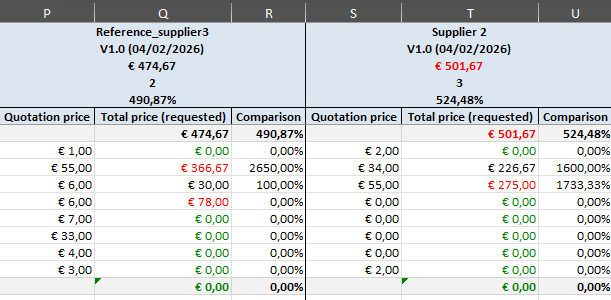
The exported Excel file now contains formulas instead of static values, allowing you to continue calculations directly in Excel. For example, when quantities are adjusted, the total price is recalculated automatically.
Calculated fields such as requested total price or submitted total price are based on formulas using unit price, quantity, and price quantity.
Additionally, price values are automatically highlighted:
-
The lowest price is marked in green
-
The highest price is marked in red
These highlights update dynamically if values are changed in Excel.
Furthermore, the layout of the Excel file has been improved. This includes formatted headers, structured title rows for hierarchy levels, consistent borders, and standardized formatting for quantities, prices, and comparison values.
Request for Information (RFI)
Questionnaire Layout Improvements
The questionnaire editor has been improved in terms of layout and usability.
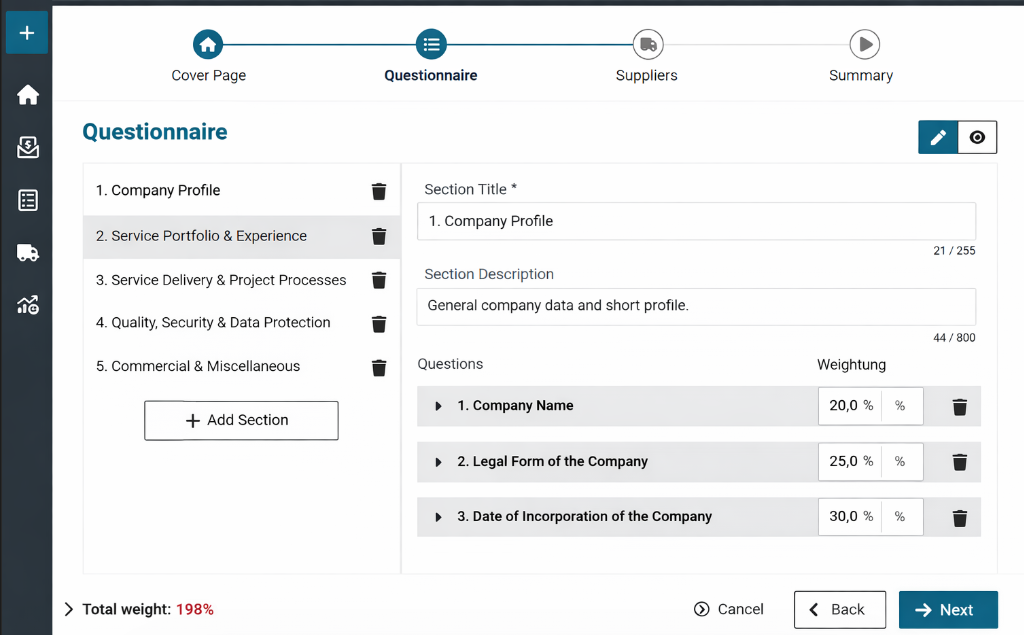
The Form Builder has been structurally redesigned and now aligns more closely with the existing layout patterns of the application. Sections are displayed in a navigation panel on the left, while the questions of the selected section appear on the right.
The new layout improves clarity through a clearer visual separation between sections and questions, as well as an optimized display of question areas.
The preview functionality has also been enhanced. The preview is now easier to access and displays the entire questionnaire on a single page, allowing users to review structure and content more quickly.
Additionally, interactions, layout consistency, and validation behavior within the questionnaire editor have been further optimized.