Rating answers via a scoring
After the submission deadline has passed and the responses have been opened (either after the deadline or through an early opening) you can specifically evaluate the submitted answers.
Instructions on how to open the responses in an RFI can be found here:
Opening of responses to questionnaires
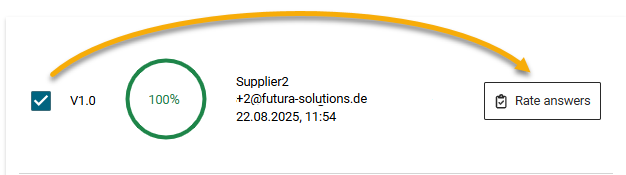
In the tab Responses, select a response with the tick on the left and click on the Rate answers button on the right.
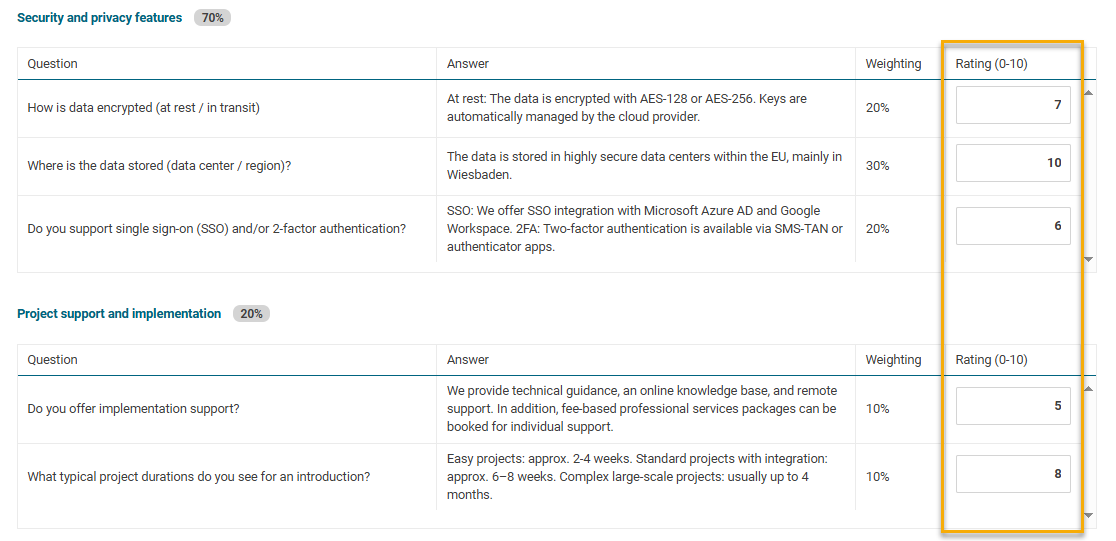
Assign each submitted response a score from 0 to 10.
The assigned points are automatically included in the score calculation.
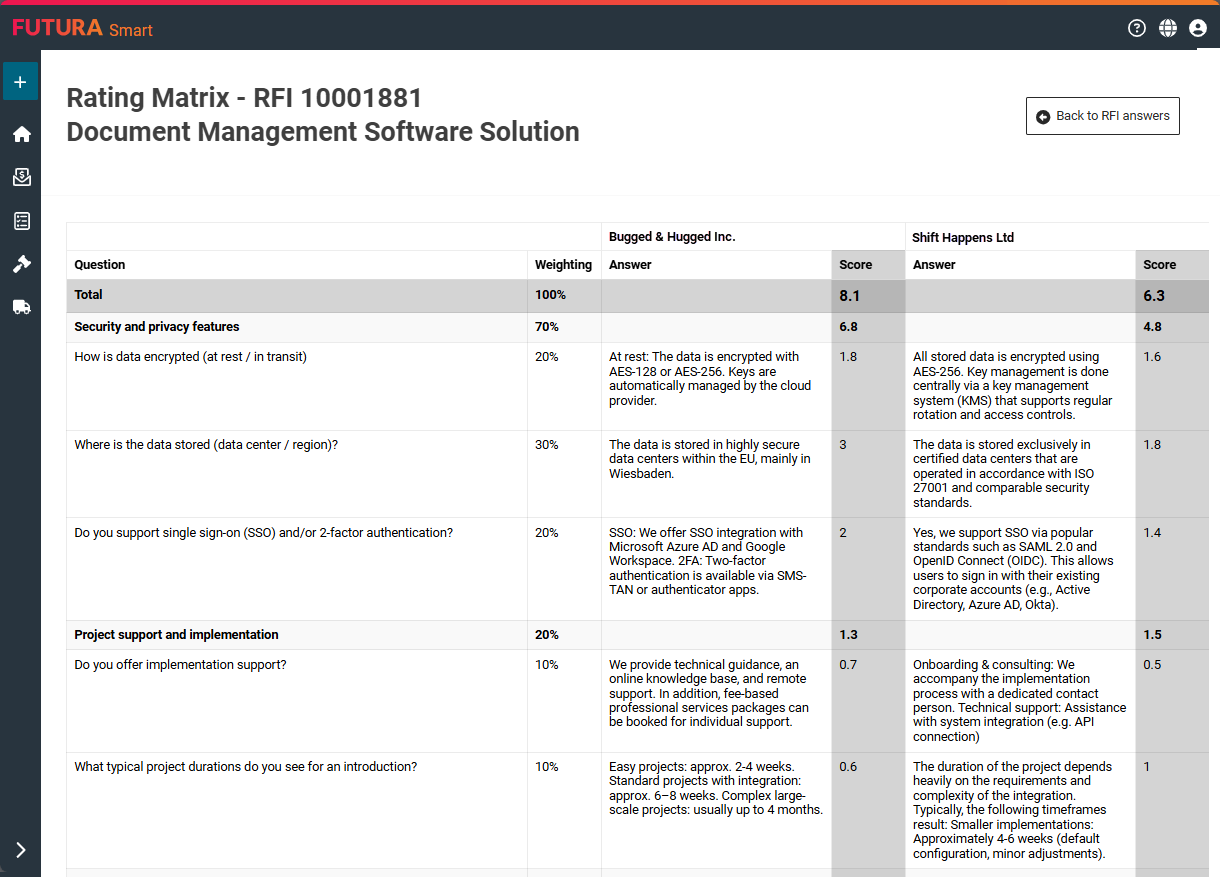
The results of this evaluation flow into the Rating Matrix, where all selected response documents can be directly compared with one another.
After you have completed the scoring, click the “Back to Responses” button in the top right corner. No additional saving is required.
Transferring the responses to the Rating Matrix for evaluation
Back in the overview of the submitted responses (tab Responses), use the checkboxes on the left to transfer the selected supplier responses into the evaluation matrix after scoring. You can select any response forms you wish and compare them with one another in the evaluation matrix.
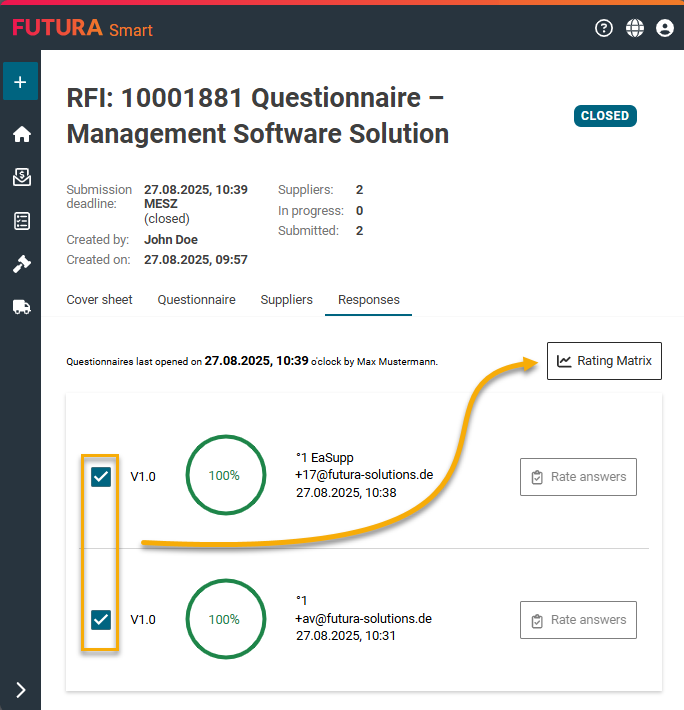
In the Rating Matrix, you can compare the responses of multiple suppliers in a structured way. The prerequisite for this is that you have previously rated the answers.
The Rating Matrix displays all responses selected in the overview and automatically calculates the results based on the weightings defined in the questionnaire. The scores allow you to quickly identify the strengths and weaknesses of each supplier and compare the results directly.